How do I share a bet?
SHARE A BET is a feature that allows you to share your betting selections.
The feature can be used by customers who have a registered Easybet account or without one.
Click LOGIN at the top right of your screen, if you have a registered Easybet account.
Select a bet to place.
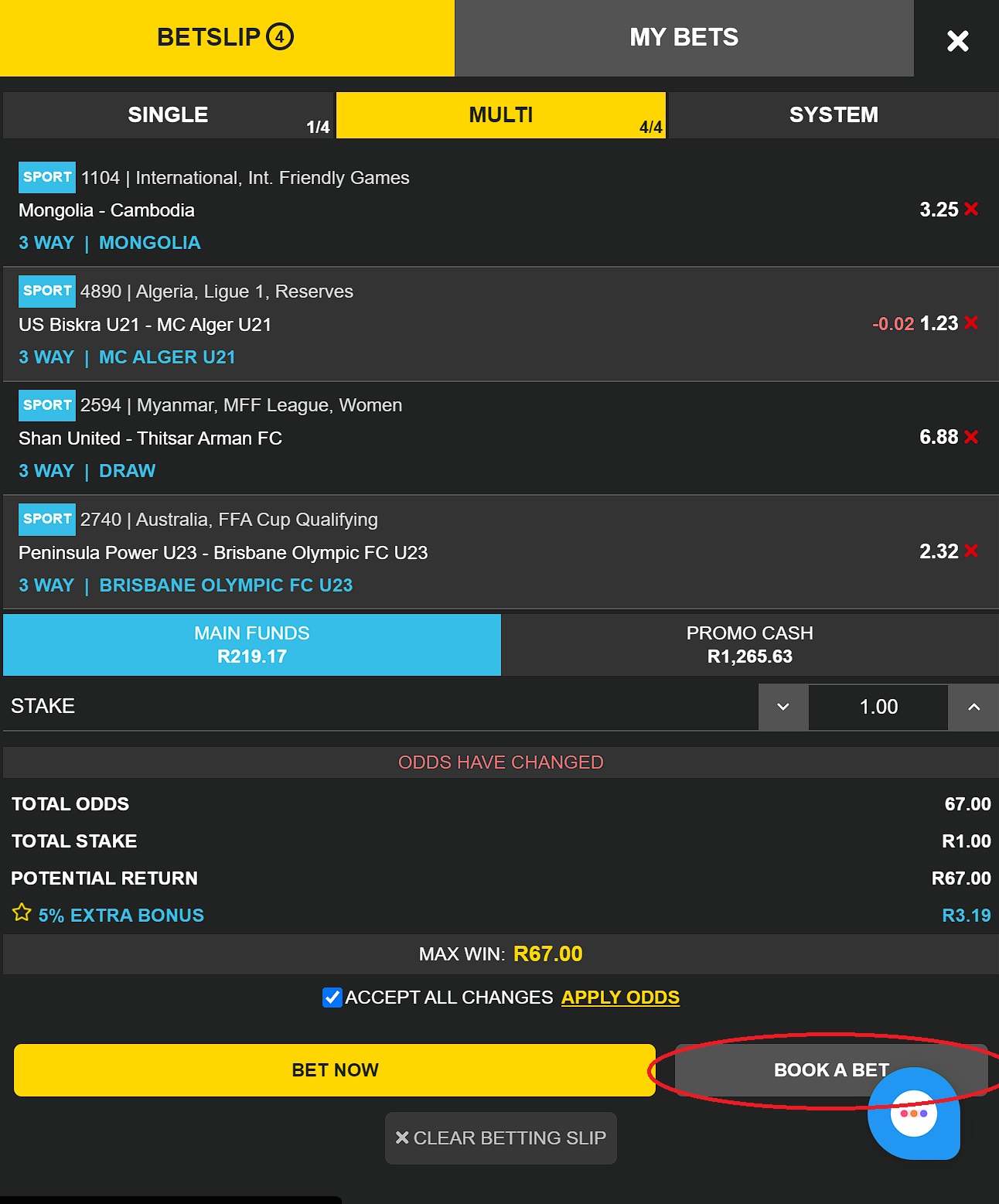
After making your bet selection, proceed to click BETSLIP (top right of your screen)
Once BETSLIP is generated, click on ACCEPT ALL CHANGES.
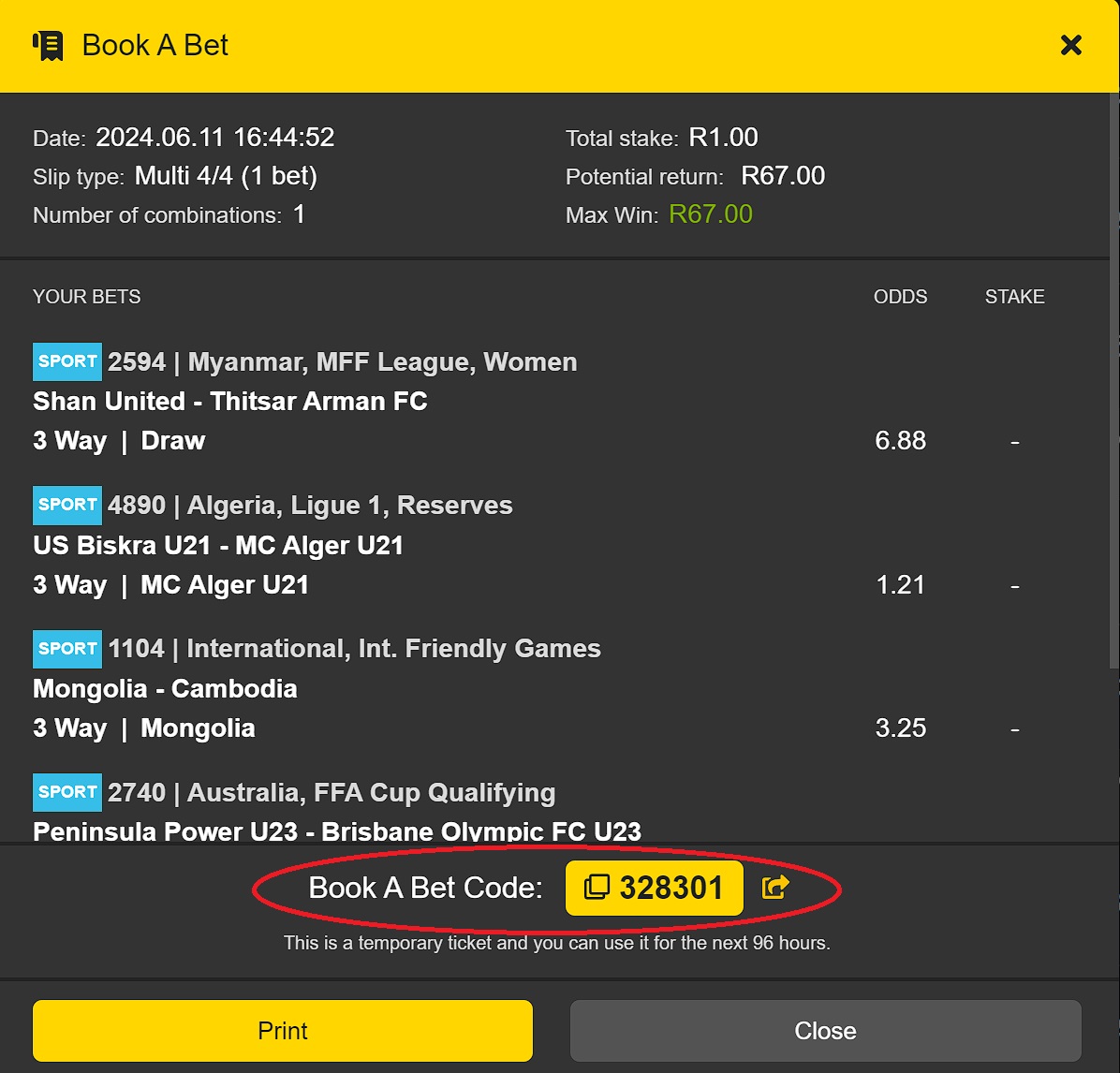
Click BOOK A BET. Your book a bet code will appear at the bottom of your screen.
Note: Click the YELLOW ARROW to share the bet code.
Click the CODE to copy. After you have clicked the yellow arrow to share the bet code, a pop-up screen will appear with options to share the bet.
Choose COPY LINK to share.
Once the bet has been shared, the receiver will use the link given and it will come with the booking code.
If you already have an Easybet account, click OPEN YOUR BETTING SLIP. It will go to the booked match, log into your account if you haven't already, then place your bet.